> For the complete documentation index, see [llms.txt](https://docs.agilecase.com/llms.txt). Markdown versions of documentation pages are available by appending `.md` to page URLs; this page is available as [Markdown](https://docs.agilecase.com/developer-documentation/case-scripting/on-load-scripts/custom-messages-within-cases.md).
# Custom Messages Within Cases
This example demonstrates a script that displays a custom message in a case depending on the value of a specified field.
This code can be copied and used in your own system; however, it must be edited to identify your particular fields and values and to display your own custom messages.
### Script
#### Custom Messages Within Cases
```javascript
// If you are adapting this script for use on your own system, "Customer Rating" should be changed to the name or ID of your own field.
$.get('/api/case/' + caseid + '/data?getValues=Custom.CustomerRating', function( data ) {
var value = data.data.customFields[0].value;
// The value that triggers the script should be edited to one that is relevant to your chosen field
if (value < 50){
// You can specify the message you want to display when the criteria are satisfied here by editing the existing message
$('#scriptingTarget').html('
This Customer has a negative rating
');
// The "else" function signifies that what follows is the message that will be displayed if the criteria are not met
} else {
// You can edit the format of your message by changing "alert-success" to another formatting option
$('#scriptingTarget').html('
This Customer has a positive rating
');
}
});
```
This code block contains a script that displays a different message depending on the value of a "customer rating" field. If the value is below 50, the user is presented with a warning that the customer has a poor reputation. If it is above 50, a prompt reminds the user that the customer has a good reputation.
The following sections display the messages that appear if the value of the field does or does not fulfill your specified criteria.
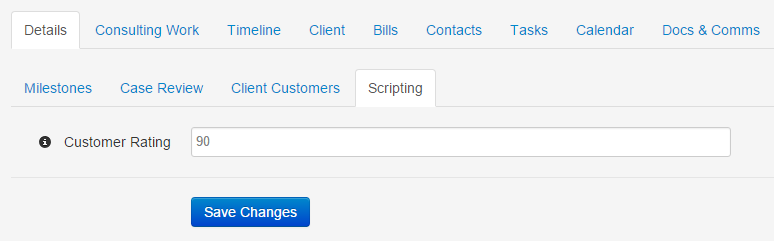
### If the value is over 50
If the value of the "Customer Rating" field is over 50, a message informing the user of the customer's good reputation is displayed:
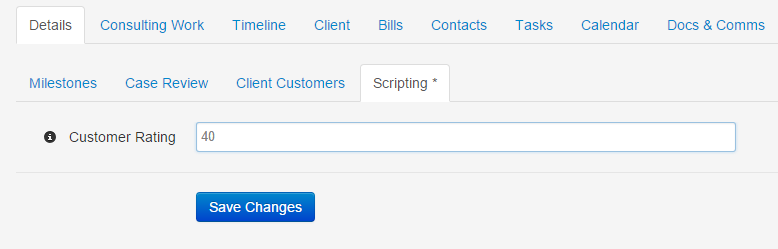
### If the value is under 50
When the value of the field is changed to a number below 50, an alternate message warning the user of the customer's bad reputation is displayed: