> For the complete documentation index, see [llms.txt](https://docs.agilecase.com/llms.txt). Markdown versions of documentation pages are available by appending `.md` to page URLs; this page is available as [Markdown](https://docs.agilecase.com/developer-documentation/case-scripting.md).

# Case Scripting

Scripts that run when a case is opened, saved, or asked for a value.

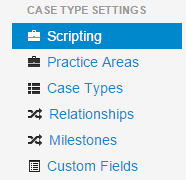
<figure><img src="https://2254578867-files.gitbook.io/~/files/v0/b/gitbook-x-prod.appspot.com/o/spaces%2FlbQndiLuyFlBYZOTuVGa%2Fuploads%2Fgit-blob-0ee29e50d37eb328e2e74ae6d0b55b42b75f12ea%2Fsettingsmenuscripting.png?alt=media" alt="" width="186"><figcaption></figcaption></figure>

Case scripting lets you attach your own JavaScript to a case, so that AgileCase runs your code at a particular moment: when the case is opened, when it is saved, or whenever a particular field's value is needed.

{% hint style="info" %}
If you want a script built but would rather not write it yourself, get in touch at <sales@agilecase.com> for information and pricing.
{% endhint %}

## The three kinds of script

<table data-view="cards"><thead><tr><th>Type</th><th>What it is for</th><th data-card-target data-type="content-ref">Target</th></tr></thead><tbody><tr><td><strong>On Load Scripts</strong></td><td>Run in the browser when a case is opened. Alter the case screen, surface buried data, warn the user.</td><td><a href="/developer-documentation/case-scripting/on-load-scripts.md">On Load Scripts</a></td></tr><tr><td><strong>On Save Scripts</strong></td><td>Run on the server when a case is saved. Send email, add tasks, update fields, call webhooks.</td><td><a href="/developer-documentation/case-scripting/on-save-scripts.md">On Save Scripts</a></td></tr><tr><td><strong>Calculated Fields</strong></td><td>Run on the server whenever a field's value is needed, and return it. Totals, fees and derived text that have to reach a document or a report.</td><td><a href="/developer-documentation/case-scripting/calculated-fields.md">Calculated Fields</a></td></tr></tbody></table>

Where a script runs is what decides how you write it. An on load script is ordinary browser JavaScript and reads case data through the [Case Data API](/developer-documentation/case-data-api.md). On save scripts and calculated fields both run on the server with no access to the page, and reach the case through the [Service object](/developer-documentation/case-scripting/on-save-scripts/script-api-reference.md) — the difference between them is that an on save script acts on the case, while a calculated field only returns a value.

{% hint style="info" %}
On load and on save scripts are created under **Scripting** in the settings menu. A calculated field is not: it is a custom field type, configured on the field itself.

Scripting confined to a single custom field tab is a separate feature again. For a calculation or a formatting change that only has to appear on screen while the user works, use a JavaScript label field, covered in [Custom Form Scripting](/developer-documentation/custom-form-scripting.md).
{% endhint %}

## Managing scripts

Creating, changing and removing scripts works the same way for on load and on save scripts. A calculated field is edited wherever its custom field is configured.

<table data-view="cards"><thead><tr><th>Task</th><th>What it covers</th><th data-card-target data-type="content-ref">Target</th></tr></thead><tbody><tr><td><strong>Adding a New Script</strong></td><td>Naming a script, choosing when it runs, picking case types and writing the content.</td><td><a href="/developer-documentation/case-scripting/adding-a-new-script.md">Adding a New Script</a></td></tr><tr><td><strong>Editing a Script</strong></td><td>Opening an existing script and changing it.</td><td><a href="/developer-documentation/case-scripting/editing-a-script.md">Editing a Script</a></td></tr><tr><td><strong>Deleting a Script</strong></td><td>Removing a script permanently.</td><td><a href="/developer-documentation/case-scripting/deleting-a-script.md">Deleting a Script</a></td></tr></tbody></table>

## Which case types a script applies to

Every script is attached to one or more case types when you create it, so a script written for one workflow does not affect another. A script with no case types selected never runs. This is set on the scripting form and can be changed later, as described in [Editing a Script](/developer-documentation/case-scripting/editing-a-script.md).
